Best Offline Brain Games for Android (No Internet Needed): How to Choose
A train with no signal, a flight, a power cut, or just a phone plan that runs out before the month does. That is exactly when you want a good offline game. Brain games and puzzle games are perfect for this: short rounds, no reflex tests, and you can stop and start whenever you like. Here is how to pick offline brain games for Android that are actually worth your storage space.
What makes a great offline brain game
- The main mode works with no connection. Not just a "practice" mode: the levels you actually want to play.
- Lots of levels already inside the app. If new levels must be downloaded, you will run out on the trip.
- Short sessions. A level should take one to five minutes, so you can play between stops.
- No timer pressure (or an option to turn it off). Brain games are better when you can think.
- Small download and light on battery. Simple 2D puzzle games usually beat big 3D games here.
- Progress saved on the phone, so you never lose levels because there was no signal.
- Your language. Instructions you understand make the first five minutes far more fun.
7 types of offline puzzle games worth trying
| Type | What you do | Good for |
|---|---|---|
| Arrow / tap-away puzzles | Tap arrows in the right order so each escapes the board | Planning, focus, quick sessions |
| Sudoku | Fill a 9×9 grid with numbers 1 to 9 | Logic, patience |
| Word puzzles | Crosswords, word search, anagrams | Vocabulary, language practice |
| Block and tile puzzles | Fit shapes into a grid, clear lines | Spatial thinking, relaxing |
| Connect and flow puzzles | Join matching dots without crossing lines | Visual planning |
| Maze and escape puzzles | Find the way out, unlock doors | Problem solving |
| Number and math puzzles | 2048-style merging, number logic | Mental math |
Most people enjoy mixing two types: one "thinking" game (sudoku, arrow puzzles) and one "calm" game (blocks, connect lines).
How to check a game really works without internet
- Read the store listing. Look for words like "offline", "no wifi" or "play without internet", and check which modes they mean.
- Install and open it once on Wi-Fi. Some games download data on first launch. Let it finish.
- Turn on flight mode and play two or three levels before your trip. If it complains, you know now and not on the train.
- Check where progress is saved. Games that save on the phone keep your levels when you go offline.
- Remember that online features stay online. Live multiplayer, leaderboards and cloud backup need a connection in every game.
Why we built Arrow Puzzle Max to work offline
We made Arrow Puzzle Max for exactly these moments. Every arrow flies straight ahead; tap them in the right order so none collide, and clear the board.
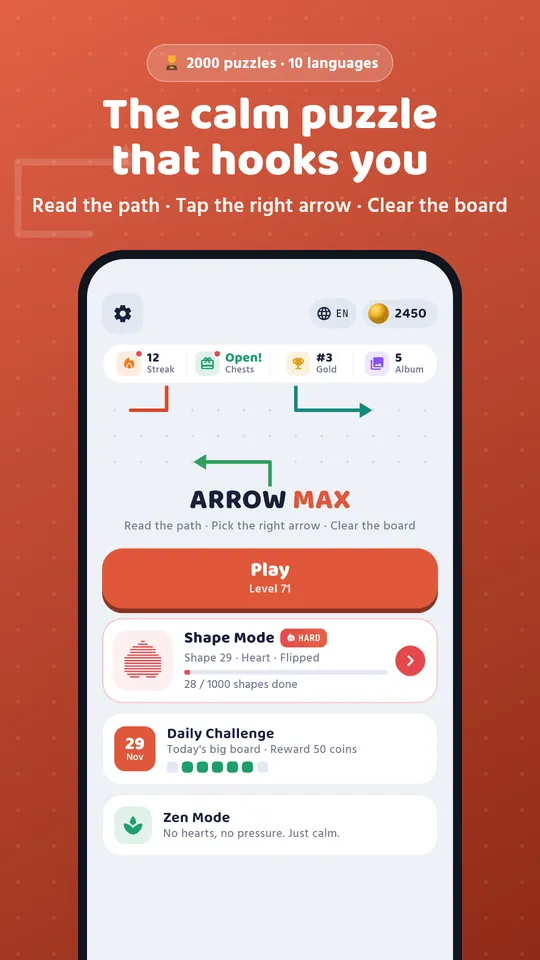
- 2000 puzzles inside the app: 1000 classic levels in 20 chapters and 1000 Hard Shape Mode boards shaped like hearts, stars, cats and rockets.
- Works offline: classic levels, shape mode, Zen mode and daily puzzles play with no internet. Only live races and leagues need a connection.
- No timer in classic levels, and Zen Mode removes hearts entirely.
- 10 languages: English, हिन्दी, বাংলা, తెలుగు, मराठी, தமிழ், ગુજરાતી, ಕನ್ನಡ, മലയാളം, ਪੰਜਾਬੀ.
- Progress saved on your phone, with optional cloud backup when you are back online.
New to arrow puzzles? Read our 10 tips to clear any arrow puzzle board before your first hard level.

Download before your next trip
Arrow Puzzle Max is free on Google Play and works without internet.